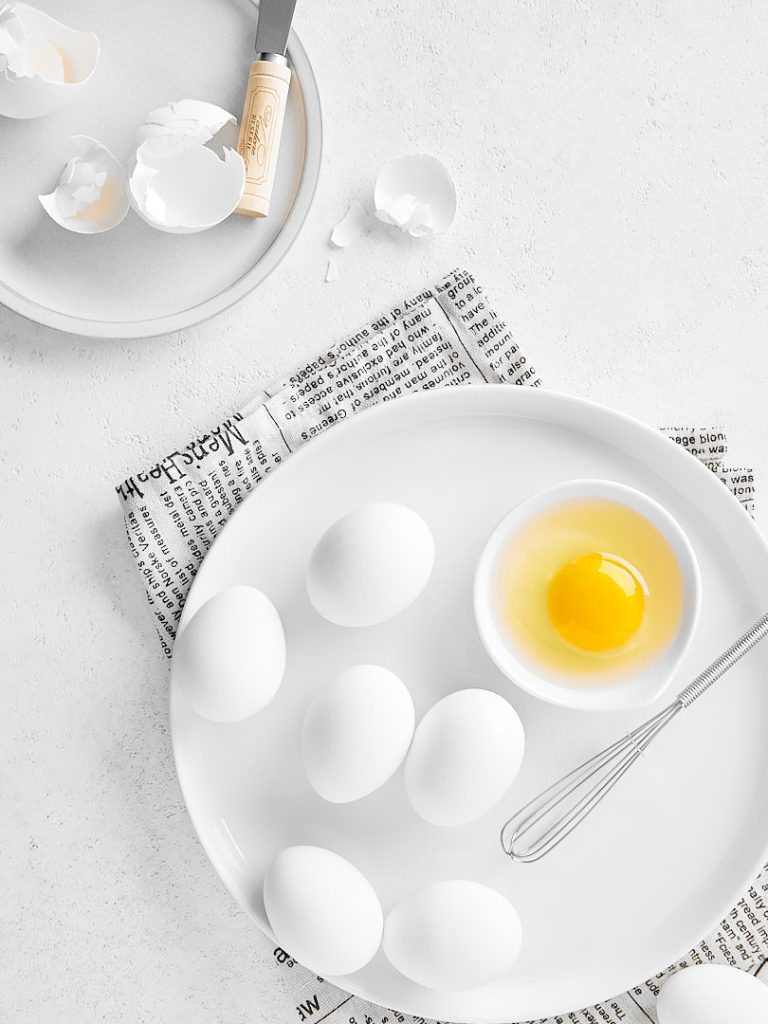

Have you ever stared at a food photo and wondered, “How did they DO that?” The lighting, the composition, the sharpness — it’s all so perfect. We’ve all been there. It’s not magic. It’s often tethering. I’ve seen firsthand how this technique transforms good food photos into stunning ones. It’s a game-changer.
Jump to:
In this article, I’m going to show you why it’s a must-have in your food photography toolkit. We’ll explore 20 compelling reasons to tether, covering everything from instant feedback to streamlined workflows. We’ll even tackle the few tiny downsides because, let’s be real, nothing’s perfect.
1. Nail Your Focus: Every. Single. Time.
Food, product, and still life photography live and die by details. Textures, highlights, and pinpoint sharpness are everything. You’re often working with tight compositions — millimeters matter. Judging perfect focus on a small camera screen or viewfinder? It’s a gamble. I’ve been there — thinking I nailed it, only to be disappointed later.
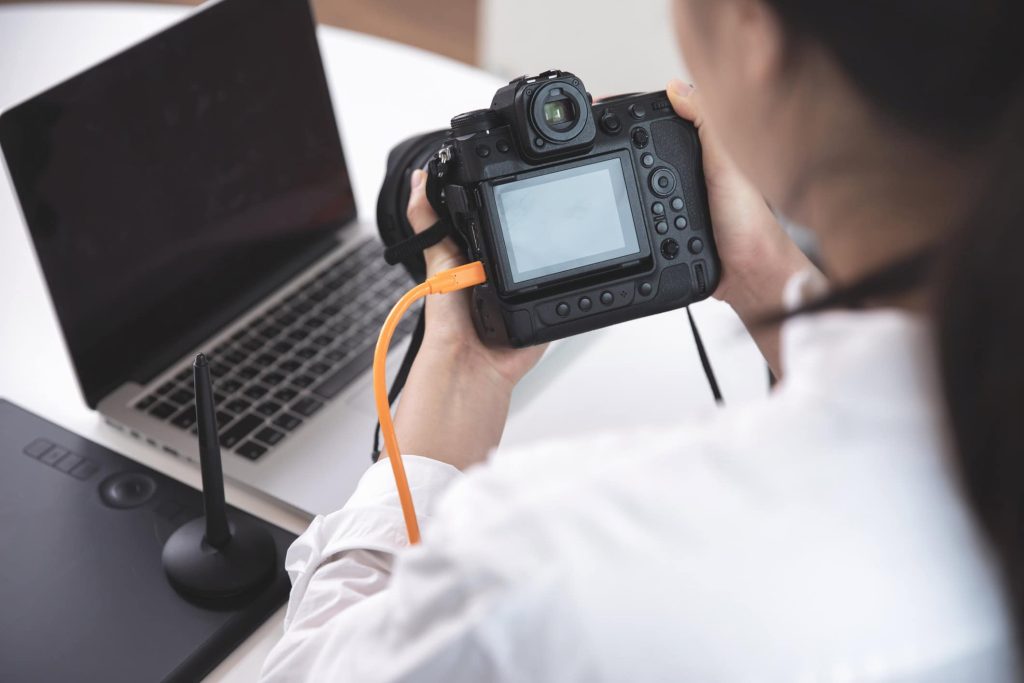
Tethering changes everything. You get a large, high-resolution image on your computer screen live as you shoot. No more squinting or second-guessing.
- Precise Focus Checking: Zoom in further on your computer screen for absolute focus verification. This is essential for close-up work.
- Real-Time Feedback: See exactly where your focus is — the glaze on the donut, the texture of the fabric — instantly.
- Shallow Depth of Field Control: Ensure your razor-thin focus is exactly where you need it, avoiding post-processing surprises.
- Increased Efficiency: Perfect focus every time means less time editing and more time creating stunning images.
Remember
Tethering is your ultimate tool for capturing those crucial details. No more guessing. Just perfect focus.
2. Big Screen, Big Impact: The Power of Large Live View
Let’s talk screens. Your camera’s LCD? It’s tiny. Trying to judge composition, lighting, and especially focus on that little screen is like trying to navigate a city with a postage stamp map. Tethering gives you a massive upgrade. You’re seeing your shot on a large computer monitor, live, as you compose. It’s a game-changer.
- See the Big Picture: View your images much larger than on your camera’s LCD, making it easier to assess composition and lighting.
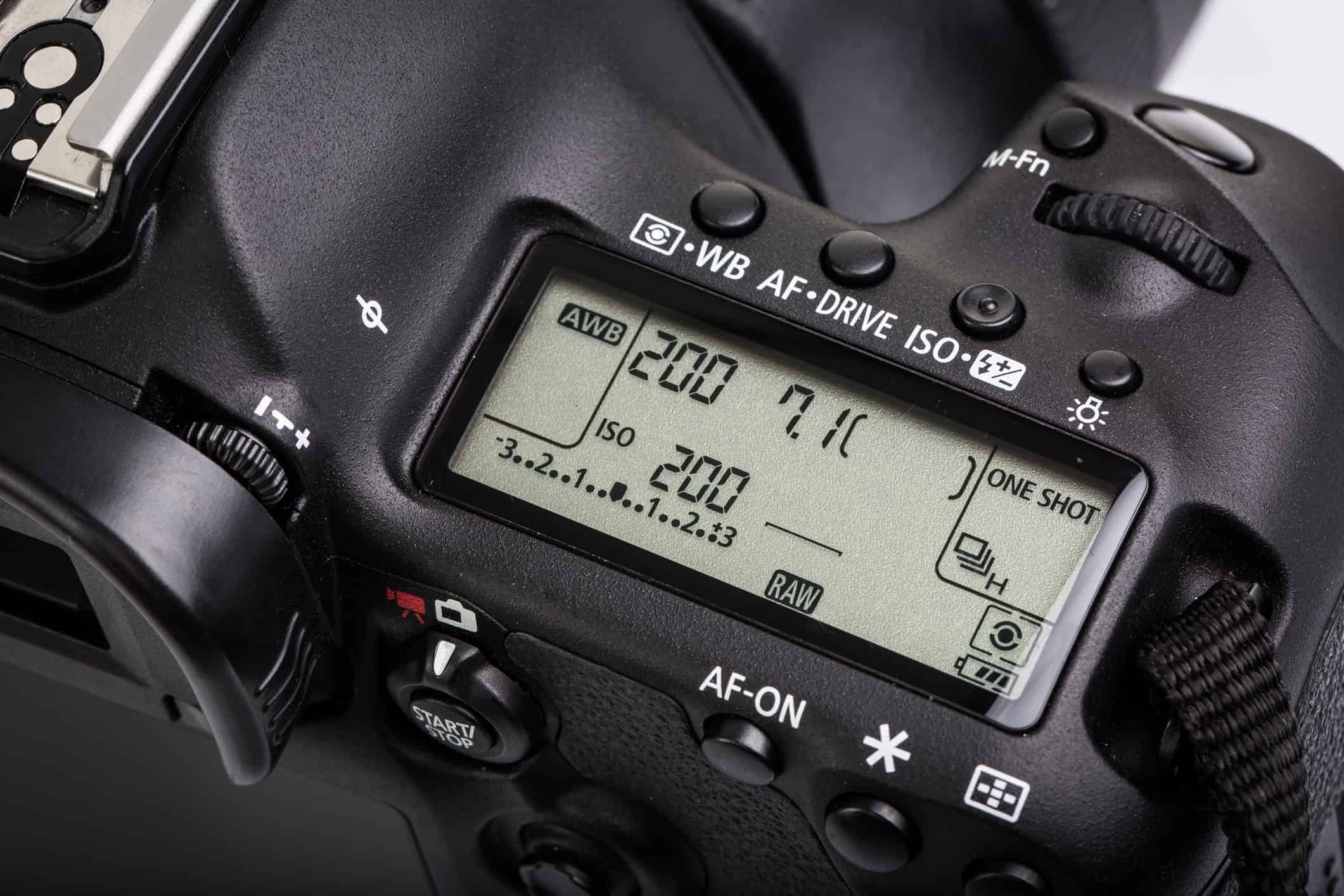
- Camera Control at Your Fingertips: Adjust Exposure Triangle settings like Shutter Speed, Aperture, and ISO directly from your computer. No more fumbling with tiny buttons.
- Advanced On-Screen Tools: Use masking and marker lines to ensure consistent composition, which is especially important for specific publishing requirements.
- Instant Full-Size Previews: See a full-resolution rendering of your image immediately after you take the shot. No more waiting.
Remember
Tethering transforms your workflow. It’s like going from a blurry snapshot to a crystal-clear vision.
3. Say Goodbye to Blurry Images: Achieving Critical Focus
Ever poured your heart into a shoot, only to discover later that half your shots are soft and out of focus? It’s crushing. I know that feeling. Relying on that tiny LCD screen is a recipe for disaster. Tethering completely eliminates this problem.
- Beyond the LCD: Your camera’s LCD is small, and even zoomed in, accurate focus is a challenge. Tethering offers a much larger view.
- 100% Zoom for Pinpoint Accuracy: Instantly zoom to 100% on your computer screen to verify tack-sharp focus. No more guesswork.
- Enhanced Manual Focusing: Live view on a large screen makes manual focusing significantly more effective than using a small LCD. You see exactly what’s in focus.
Remember
With tethering, blurry images become a thing of the past. You gain unprecedented control over focus, ensuring your images are crisp and professional.
4. Avoid Costly Reshoots: Instant Feedback is Key
Reshoots are a nightmare. They eat up time, money, and energy. Tethering drastically reduces the risk of having to redo an entire shoot. You see your images immediately on a large screen. This instant feedback lets you catch problems before they become big issues.
- Immediate Feedback: See each shot as it’s taken, allowing for on-the-fly adjustments. No more “hoping for the best”.
- Catch Issues Early: Identify problems with composition, focus, lighting, or posing instantly.
- Fewer Takes, Better Results: Capture the perfect shot in fewer attempts, saving you valuable time and resources.
Remember
Tethering is like having a second set of eyes, ensuring you get it right the first time.
5. Craft Perfect Compositions: See What Your Camera Sees
What you see with your eye and what your camera captures are often very different. Tethering bridges that gap. You see exactly what the camera sees, live. This gives you unprecedented control over your compositions.
- Live View Composition: See your composition on a large screen, allowing for a more effective assessment of framing, negative space, and balance.
- Instant Adjustments: Tweak your placement and composition and see the results immediately.
- Ideal for Overhead/Flatlay Shots: When shooting flatlays or overhead shots with your camera high on a tripod, tethering is essential for seeing your composition.
Remember
Tethering helps you create more impactful and visually appealing images by giving you a true representation of your final shot.
6. Use Overlays for Precise Composition and Branding
Overlays are a staple in editorial and commercial food photography. They’re transparent PNGs placed over your images, often with borders for cropping and text placement. Tethering makes using overlays seamless.
- Visual Guides: Overlays help you visualize the final layout, including text placement and cropping.
- Live View Overlay: Use overlays in Live View while shooting tethered for precise composition.
- Consistent Branding: Ensure your images align with your brand guidelines and marketing materials.
Remember
Overlays, combined with tethering, give you precise control over your final image for professional results.
7. Conduct Remote Photoshoots with Ease
Working with clients who can’t be physically present? Tethering is your superpower. It enables remote photoshoots, connecting you with clients anywhere in the world.
- Real-Time Collaboration: Share your screen with clients and get immediate feedback, even from across the globe.
- Reduce Reshoots: Eliminate guesswork and ensure client satisfaction during the shoot, minimizing the need for costly reshoots.
- Streamlined Workflow: Simplify communication and approvals, making remote projects smooth and efficient.
Remember
Tethering breaks down geographical barriers, making remote collaboration easy and effective.
8. Maintain Consistency Across Your Images
Consistency is key, especially when creating a series or theme of photos. Tethering helps you maintain that consistency by giving you a large, high-resolution view of your images as you shoot.
- Immediate Issue Detection: Identify and correct problems with focus, exposure, composition, and color instantly.
- Consistent Results: Ensure consistent results across your entire image set, maintaining a cohesive look and feel.
- Perfect for Series or Themes: Maintain a consistent aesthetic when working on projects with a specific theme or style.
Remember
Tethering ensures every image in your set is flawless and consistent, creating a polished and professional final product.
9. Eliminate White Balance Guesswork: Precise Color Control
White balance can be a real headache, especially in tricky lighting. Tethering gives you precise control over color accuracy by letting you monitor and adjust the white balance in real time on your computer.
- Real-Time Monitoring: See the effects of white balance adjustments instantly on a large screen.
- Precise Adjustments: Use software like Lightroom or Capture One for fine-tuning, using sliders and eyedroppers for targeted color correction.
- Tackle Challenging Lighting: Achieve accurate colors even in complex lighting situations.
Remember
Tethering takes the guesswork out of white balance, ensuring your colors are spot on.
10. Master Your Lighting: Real-Time Feedback for Perfect Illumination
Lighting is everything in photography. Tethering gives you unparalleled control over your lighting by providing immediate feedback.
- Experiment and Analyze: Test different lighting setups and see the results instantly on your computer screen.
- Efficient Workflow: Minimize the need for reshoots and extensive post-processing by perfecting your lighting on set.
- Real-Time Analysis: Analyze how light interacts with your subject and make precise adjustments.
Remember
Tethering empowers you to master your lighting, creating stunning and perfectly illuminated images.
11. Elevate Your Food Styling: On-the-Fly Adjustments
Food styling is an art. Tethering helps you perfect your styling by letting you view images in real-time on a large screen.
- Detailed Examination: Closely examine details and make adjustments on the fly.
- Collaborative Styling: Ideal for shoots with stylists and clients, allowing for immediate feedback.
- Optimized Shot Selection: Review shots immediately to identify the most successful styling choices.
Remember
Tethering makes food styling a more precise and collaborative process, leading to more visually appealing results.
12. Supercharge Teamwork and Client Collaboration
Tethering is a game-changer for team and client collaboration. Sharing images on a second screen makes communication seamless.
- Streamlined Collaboration: Food stylists and creative directors can monitor photos and make styling adjustments as needed.
- Client Satisfaction: Ensure you’re meeting client expectations by showing them the results live.
- Efficient Communication: Share images with clients on-site or remotely, facilitating effective collaboration with assistants, stylists, and models.
Remember
Tethering fosters a collaborative and efficient workflow, leading to happier clients and better results.
13. Your Virtual Assistant: Tethering for Solo Shoots
Even when you’re shooting solo, tethering acts like a virtual assistant. It helps you stay mindful of those crucial details.
- Monitor Details Closely: Closely examine image details on a large screen for quick adjustments.
- Remote Control: Some tethering software allows you to control shots via your smartphone, making adjustments without being tethered to the camera.
- Maximize Efficiency: Maintain focus and capture flawless images even when working alone.
Remember
Tethering empowers you to handle solo shoots with confidence and precision.
14. Organize, Compare, and Rate Images in Real-Time
Tethering software isn’t just for capturing images it’s also for organizing and managing them.
- Real-Time Organization: Organize and archive files for a seamless workflow.
- Instant Comparison: Compare images while shooting and load favorites for reference.
- Efficient Rating: Use star ratings or color coding to quickly categorize and prioritize your shots.
Remember
Tethering streamlines your entire photography process, from capture to organization.
15. The Professional Standard: Tethering for Food Photography
Tethering isn’t just a trend it’s the professional standard in food photography. Details are paramount. Relying on a tiny camera screen simply doesn’t cut it.
- Client Approvals On-Set: Clients expect to see images immediately. Tethering allows for on-the-spot approvals on a large screen, projecting a professional image.
- Team Collaboration: Showing images on a larger screen facilitates easier collaboration with food stylists, chefs, and agency professionals.
- Meeting Professional Expectations: From brand work to restaurant shoots, tethering is the industry standard.
Remember
Tethering isn’t just a nice-to-have, it’s essential for meeting professional expectations.
16. Save Time: Invest a Little, Gain a Lot
Setting up tethering might take an extra minute or two, but it pays off big time in the long run.
- Faster Workflow: See images instantly on your screen, eliminating the time spent transferring files from SD cards.
- Real-Time Backups: Back up files directly to your computer while shooting, adding an extra layer of security.
- Increased Efficiency: Streamline your workflow and save valuable time during and after the shoot.
Remember
Tethering is an investment in efficiency, saving you precious time in the long run.
17. Streamline Your Editing Workflow: Apply Edits On-The-Fly
Tethering software like Capture One offers a huge advantage: applying edits as you shoot, especially beneficial for RAW files.
- Real-Time Adjustments: Apply edits on-the-fly to ensure you’re achieving your desired aesthetic.
- Fine-Tune Lighting and Setup: Instantly see how edits affect your images and make necessary adjustments to your camera settings or set.
- Reduced Post-Processing: Minimize post-processing time by getting your images closer to the final look during the shoot.
Remember
Tethering streamlines your editing workflow, saving you valuable time in post-production.
18. Remote Control Your Camera: Adjust Settings from Afar
Tethering turns your computer or smartphone into a remote control for your camera.
- Remote Shutter Release: Trigger the shutter without physically touching the camera, minimizing camera shake.
- Adjust Camera Settings Remotely: Control camera settings from your connected device, giving you precise control from a distance.
- Ideal for Challenging Setups: Perfect for situations where you need to be further away from the subject.
Remember
Tethering gives you unprecedented control over your camera, making even tricky shots easy.
19. Minimize the Risk of Image Loss: Direct to Storage
Losing images is a photographer’s worst nightmare. Tethering minimizes this risk by saving images directly to your computer or hard drive.
- Direct Storage:. Images bypass the camera’s SD card, reducing the chance of card errors or corruption.
- Enhanced Workflow and Production: Streamlines your workflow and increases overall production efficiency.
- Peace of Mind: Shoot with confidence, knowing your images are safely stored.
Remember
Tethering adds a crucial layer of security to your workflow, protecting your valuable work.
20. Capture Action and Movement with Ease: Real-Time Feedback
Capturing action and movement can be challenging. Tethering makes it significantly easier by providing real-time feedback.
- Real-Time Monitoring: See the action unfold on your screen, allowing for instant adjustments to focus, composition, and lighting.
- Precise Timing: Capture the perfect moment with greater precision.
- Adapt to Changing Conditions: Quickly adapt to changing light or movement during a shoot.
Remember
Tethering empowers you to capture dynamic and eye-catching action shots with ease.
The (Very Few) Downsides of Tethered Shooting
Okay, I’ve sung tethering’s praises — and for good reason. But let’s be real: nothing’s perfect. There are a few things to keep in mind. Tethering is amazing, but it’s important to be prepared.
1. Getting Lost in the Details: Managing Client Expectations
With such a detailed view, it’s easy to get too focused on tiny details. This can slow down a shoot.
- Set Expectations Upfront: Communicate your workflow clearly with clients beforehand.
- Maintain a Steady Pace: Guide the session to prevent excessive nitpicking.
- Focus on the Big Picture: Remind everyone of the overall vision and avoid getting bogged down in minor imperfections early on.
It’s about finding a balance between precision and efficiency.
2. Battery Drain: Power Up for Success
Tethering can put a strain on your equipment’s battery life — both your camera and your computer.
- Carry Extra Batteries: Always have spare batteries for both your camera and laptop.
- Power Outlets Are Your Friend: When possible, shoot near a power outlet to keep your laptop plugged in.
- Plan for Location Shoots: If shooting on location, scout for power sources or invest in portable power solutions.
Being prepared with power will prevent unexpected interruptions.
3. Cable and Equipment Issues: Invest in Quality
A poor-quality tethering cable or underpowered equipment can cause lag and other problems.
- Invest in a Good Cable: A reliable, high-quality cable is essential for a smooth tethering experience. Don’t cheap out here.
- Ensure Compatible Equipment: Make sure your computer and camera meet the necessary specifications.
- Test Your Setup: Always test your setup before a professional shoot to identify any potential issues.
Reliable equipment is crucial for a seamless tethering workflow.
4. Software Glitches: Have a Backup Plan
Tethering software, especially Lightroom, can sometimes be finicky. It might stop working unexpectedly.
- Test Beforehand: Set up and take test shots before your shoot to troubleshoot any issues.
- Have a Backup Plan: Be prepared to shoot untethered if necessary. Have a backup workflow in mind.
- Keep Software Updated: Ensure your tethering software is up-to-date to minimize bugs and compatibility issues.
Being prepared for potential software hiccups will keep your shoot on track.
5. Not for Every Genre: Know When to Tether
Tethering isn’t suitable for every type of photography. It has its place.
- Ideal for Studio Work: Tethering shines in studio settings, especially for food, product, and fashion photography.
- Less Suitable for Spontaneous Shoots: It’s generally not practical for sports, weddings, or other fast-paced, on-location shoots.
- Consider Your Needs: Evaluate your specific needs and shooting style to determine if tethering is the right fit.
Understanding the limitations of tethering will help you use it effectively.
Ready to Level Up? Start Tethering Your Food Photos Now!
From nailing focus to streamlining your workflow and collaborating with clients, tethering empowers you to create stunning, professional-quality images. It’s about taking control of your creative vision and achieving results you never thought possible.
Here are the key takeaways:
- Pinpoint Focus: Achieve tack-sharp images every time.
- Real-Time Feedback: See your images instantly on a large screen.
- Streamlined Workflow: Save time on set and in post-production.
- Enhanced Collaboration: Work seamlessly with clients and teams.
- Professional Standard: Meet industry expectations and elevate your work.
Tethering isn’t just a technical trick it’s a mindset shift. It’s about embracing efficiency, precision, and collaboration. Ready to unleash your inner food photographer with tethering?
. . . . .